macOS 10.15 – directory size in CLI
There is this interesting article about using NCurses Disk Usage in Arch Linux – you can find here: Cleaning root partition on Linux. I definitely prefer to stick to macOS, so I have decided to get it running from iTerm2. It’s really simple. All you have to do is to (as with other samples you can find on my blog) build it from sources.
> mkdir -p ~/opt/src
> cd ~/opt/src
> curl -O https://dev.yorhel.nl/download/ncdu-1.14.1.tar.gz
> tar zxf ncdu-1.14.1.tar.gz
> cd ncdu-1.14.1
> ./configure
> make
that’s it. Now you can benefit from it by calling: $HOME/opt/src/ncdu-1.14.1/ncdu – you can move this file to your ~/bin if you like. It’s up to you.
ncdu 1.14.1 ~ Use the arrow keys to navigate, press ? for help
--- /Users/some_user/opt/src/ncdu-1.14.1 ---------------------------
    1.0 MiB [##########] /src
  196.0 KiB [#         ]  configure
   88.0 KiB [          ]  ncdu
   52.0 KiB [          ]  aclocal.m4
   36.0 KiB [          ]  config.status
   36.0 KiB [          ]  Makefile.in
   32.0 KiB [          ]  Makefile
   32.0 KiB [          ] /deps
   24.0 KiB [          ]  config.log
   24.0 KiB [          ]  depcomp
   20.0 KiB [          ]  ncdu.1
   16.0 KiB [          ]  install-sh
   16.0 KiB [          ] /doc
    8.0 KiB [          ]  compile
    8.0 KiB [          ]  missing
    8.0 KiB [          ]  ChangeLog
    4.0 KiB [          ]  config.h
    4.0 KiB [          ]  config.h.in
    4.0 KiB [          ]  configure.ac
    4.0 KiB [          ]  README
    4.0 KiB [          ]  COPYING
    4.0 KiB [          ]  Makefile.am
    4.0 KiB [          ]  stamp-h1
 Total disk usage:   1.6 MiB  Apparent size:   1.4 MiB  Items: 85
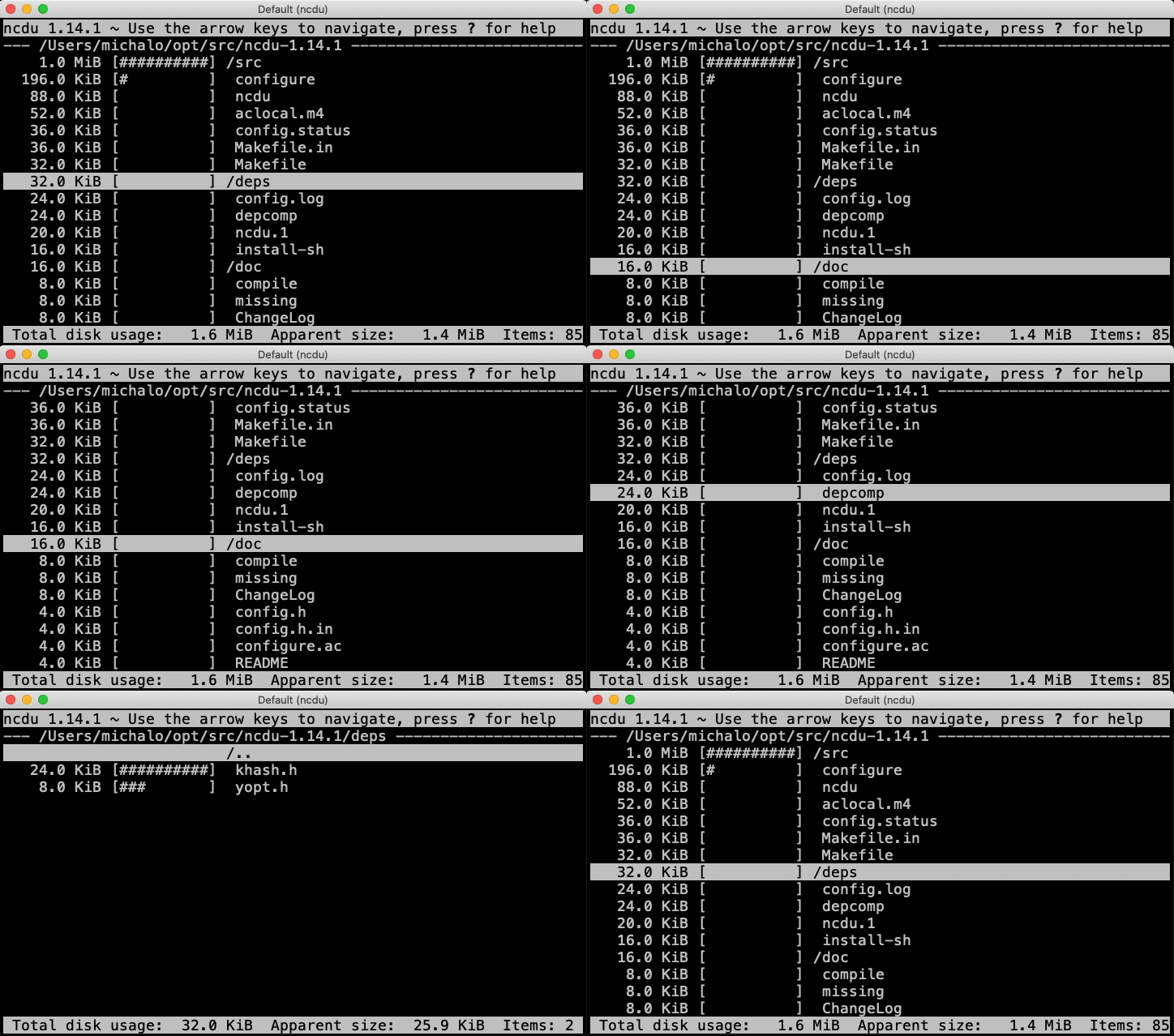
And here you can take a look at how it works
October 30th, 2019 in
main entries